Back

DevOps · Web app

Cloud Deployment & Environment Update Workflow

User story

As a cloud administrator, I want to deploy and manage cloud instances efficiently so that I can scale resources and ensure seamless operations.

Acceptance criteria

  • User can select a cloud provider (AWS, Azure, GCP) and configure deployment settings.
  • User can trigger environment update.
  • System displays real-time update status updates.
  • System provides a confirmation message upon successful update.
01

Selecting a cloud deployment option
01Connection view — available cloudsThe deployment area separates MicroStrategy-managed clouds from the cloud platforms — AWS, Azure and Google Cloud — each card carrying its connection state. A new connection starts from here.
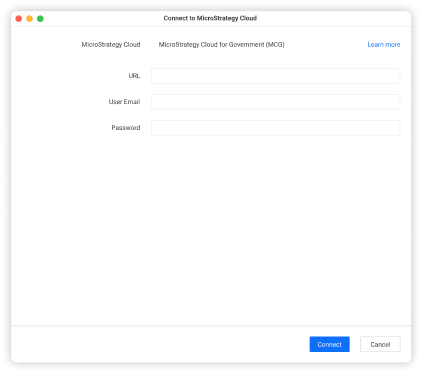
Cloud Deployment & Environment Update Workflow — Connect — MCG
Connect — MCGURL, user email and password for MicroStrategy Cloud for Government.
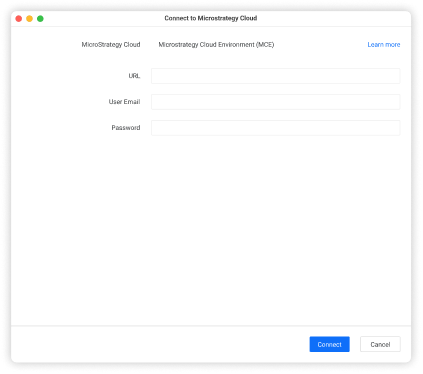
Cloud Deployment & Environment Update Workflow — Connect — MCE
Connect — MCEThe same credential set for a MicroStrategy Cloud Environment.
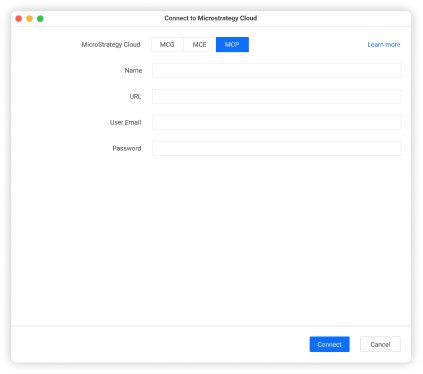
Cloud Deployment & Environment Update Workflow — Connect — MCP
Connect — MCPThe cloud-platform path adds a deployment name above the URL and credentials.
02

Deployment overview and configuration
02Management tableAccounts, clusters and environments in one hierarchy: cloud, type, ID, owner, CPU and memory load, MX window, last backup, status and version. Everything deployed is managed from this table.
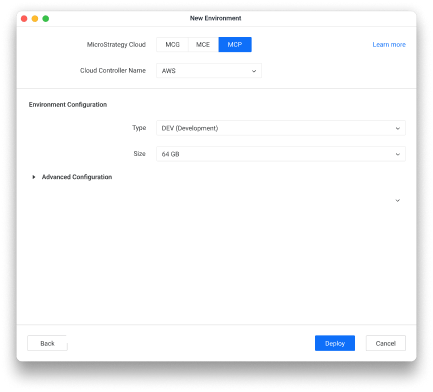
Cloud Deployment & Environment Update Workflow — New environment
New environmentCloud, controller, environment type and size — plus advanced configuration — confirmed with Deploy.
03

Updating or upgrading a deployed instance

03Row actions — UpdateAn instance is selected and Update chosen from its row menu, alongside stop, restart, backup, restore and scaling actions.
04Update previewThe dialog lists current against target version for the account, its clusters and each environment, warns what will be unavailable, and lets the administrator select exactly what moves.
04

Monitoring progress and completion

05Upgrade in progressSpinners take over the update column and report progress in real time while the upgrade runs.
06Upgrade completeThe table settles on 22.10 with every affected environment confirmed against the new configuration.
All projectsNext projectAdding Funds to a Crypto Exchange